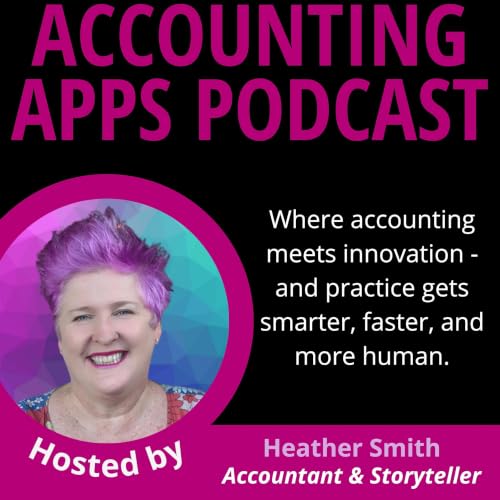
Accounting Apps Podcast copertina

Accounting Apps Podcast

Accounting Apps Podcast

Di: Heather Smith | Accountant & Storyteller
Ascolta gratuitamente

Offerte di stagione | 0,99 €/mese per i primi 3 mesi

A seguire 9,99 €/mese – si applicano condizioni. Puoi disdire mensilmente.
Exploring the intersections of accounting, technology and modern practice methodologies. Each month guests share how they built their business and how your business or clients can use technology to be more effective and efficient. This may include exploring:


*How you can implement and integrate business tools with your online accounting software to automate processes, improve productivity, and profitability;
*How to build a business developing business apps; or
*How to build a tech stack that meets your business needs or introduce your clients to them.


Brilliant guests include entrepreneurs, founders, business consultants, accountants, bookkeepers, small business owners, cloud advisors, developers, cloud integrators and solution providers.


Hosted by Heather Smith, an award winning Chartered Accountant with a flair for storytelling. Heather is obsessed with how effective automation and integration can produce timely clean data, to surface information for brave, fast data-informed ...ANISE Consulting 2015-2025
Politica e governo
  • What Is a Calendar Audit and Why Should You Do One? 📅
    Sep 23 2026
    How a Monthly Calendar Audit Improves Productivity

    When was the last time you looked back at your calendar and asked whether all those meetings, commitments and hours were actually a good use of your time?

    In this episode of the Accounting Apps Podcast, I unpack the monthly calendar audit I use to understand where my time has gone, identify follow-ups that may have slipped through the cracks, and question activities that perhaps should not be there at all.

    My process combines Google Workspace, Google Calendar, Google Apps Script and Google Sheets to turn a month of calendar activity into something I can review line by line. Colour coding and categorisation help me separate personal activities, non-billable administration, speaking engagements, podcasting, writing, CPD and other commitments.

    The audit is not simply about productivity. It gives me distance from my calendar so I can consider my energy levels, protect productive hours, manage meetings more deliberately and ask whether the technology supporting my workflow still makes sense.

    Key Takeaways
    • Audit where your time actually goes. Reviewing your calendar at the end of each month can highlight low-value commitments, non-billable work and meetings that took significant time without delivering meaningful outcomes.
    • Use calendar colour coding and categorisation. Google Calendar categories make it easier to group activities and understand the balance between personal time, client work, administration, CPD, speaking, writing and other commitments.
    • Protect your productive hours and energy. A calendar audit can reveal patterns around when you do your best thinking, whether meetings are consuming those productive periods, and whether late-night international commitments require additional buffer time.
    • Use the audit as a second check for follow-ups. Looking back over meetings can prompt forgotten action points, unanswered requests, CPD that needs recording, projects that need finalising or conversations that require another follow-up.
    • Audit the technology as well as the calendar. Calendly offers useful functionality such as meeting buffers and automated emails, but Google also provides appointment scheduling. Reviewing overlapping technology can identify opportunities to simplify workflows and reduce subscriptions.

    A calendar audit takes time. Mine can take two or three hours, but that is partly because I use the process to stop, think and review what happened during the month.

    It gives me an opportunity to ask some useful questions. Why did I take that meeting? Did anything come from it? Should it have been an hour, or would 15 minutes have been enough? Am I protecting my capacity and bandwidth? Is my calendar supporting the way I want to work?

    The goal is not to create the perfect calendar. It is to become more deliberate about where time and energy are going, recognise what is working, and make better-informed choices about what deserves space in the calendar next month.

    Episode resources and links:

    Descript, Camtasia, ChatGPT, Google Workspace, Google Calendar, Google Apps Script, Google Sheets, Calendly, Microsoft

    If this episode helped you, the best way to support the show is to leave a review somewhere as it helps more people find us. And if you want to continue the conversation, come find me Heather Smith | Accountant and Storyteller on:

    LinkedIn: https://www.linkedin.com/in/HeatherSmithAU/

    Accounting Apps newsletter: http://accountingapps.io/

    Accounting Apps Mastermind: https://www.facebook.com/groups/XeroMasterMind

    YouTube Channel: https://www.youtube.com/ANISEConsulting

    X: https://twitter.com/HeatherSmithAU

    Mostra di più Mostra meno
    18 min
  • 🧩 Simplifying Your Firm’s Tech Stack for Better Workflow Visibility
    Jul 1 2026

    Technology should make accounting firms more efficient, but many firms have accumulated layers of disconnected tools that create complexity rather than clarity. In this discussion, Heather Smith is joined by Tyler Caskey from The Bean Counters and John Munden from Cloud Office to explore how firms can simplify their technology stack, improve workflow visibility, reduce manual work and make better technology decisions.

    Key Discussion Points
    • Tyler Caskey shares why firms often accumulate too many disconnected tools and how visualising workflows can reveal inefficiencies.
    • John Munden explains how standardised workflows help reduce bottlenecks, improve onboarding and create consistency across teams.
    • The panel discusses common technology traps including decision fatigue, duplicated processes and underutilised software.
    • Practical advice is shared on auditing a tech stack, identifying manual processes and prioritising integrations.
    • The conversation explores leadership, change management, client communication challenges and the future role of automation and API-driven workflows.

    The key takeaway is that firms do not need more technology. They need better connected technology, clearer workflows and a structured approach to change. By focusing on visibility, automation and process consistency, accounting firms can reduce overwhelm and create scalable systems that support long-term growth.

    Episode resources and links:

    Tyler Caskey : https://www.linkedin.com/in/tylercaskey/

    John Munden : https://www.linkedin.com/in/jmunden/

    Cloudoffis : https://cloudoffis.com.au/

    Apps & Tools Mentioned

    Xero, SharePoint, APS, Excel, Microsoft Lists, HandiSoft, BGL, NowInfinity, FYI Docs, Xero Practice Manager, Content Snare, Annature, Adobe Sign, DocuSign, Employment Hero, MYOB, QuickBooks, Stripe, Pinch Payments, Macquarie Bank Feeds, Mayday, Seamless

    If this episode helped you, the best way to support the show is to leave a review somewhere as it helps more people find us. And if you want to continue the conversation, come find me Heather Smith | Accountant and Storyteller on:

    LinkedIn: https://www.linkedin.com/in/HeatherSmithAU/

    Accounting Apps newsletter: http://accountingapps.io/

    Accounting Apps Mastermind: https://www.facebook.com/groups/XeroMasterMind

    YouTube Channel: https://www.youtube.com/ANISEConsulting

    X: https://twitter.com/HeatherSmithAU

    Mostra di più Mostra meno
    50 min
adbl_web_anon_alc_button_suppression_t1
Ancora nessuna recensione